Send a parcel in 60 seconds
Drop pickup and drop-off pins on the map, describe the parcel and confirm the price. A courier already heading that way comes to collect it.
Free app · Georgian, English, Russian
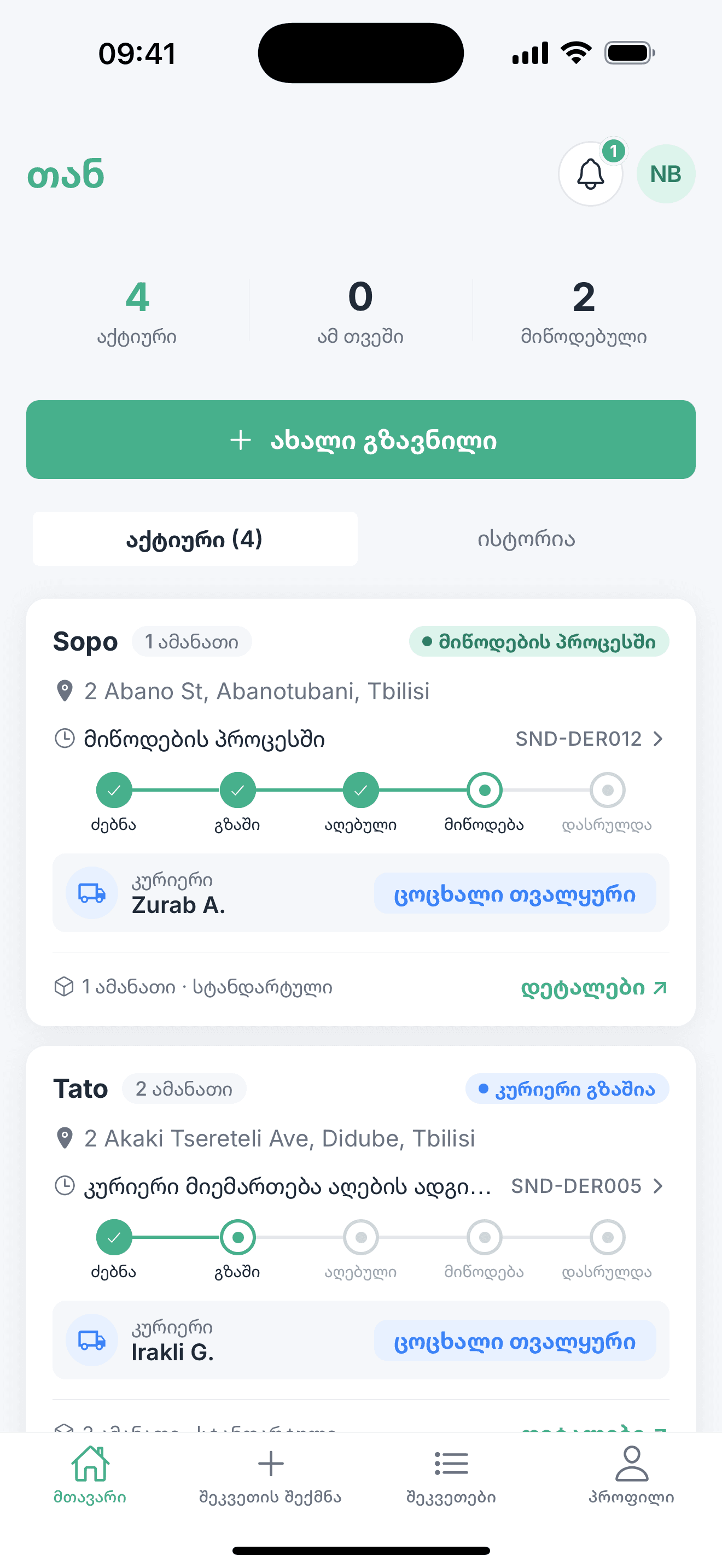
In numbers
Three steps from pickup to handover
Creating an order takes less than a minute.
Drop two pins
Pickup and drop-off on the map. Describe the parcel — size and weight.
Confirm the price
You see the amount before you confirm. No hidden fees.
Follow the stages
Every stage of the order is recorded, from published to delivered.
One app, two roles
A sender creates an order. A courier already driving that route takes it.
Send a parcel
The order is built on the map. You see the price before you confirm.
- Pickup and drop-off as two pins on a map
- The price before you confirm the order
- A photo at collection and at handover
- Address book and reusable templates
Pick a job and earn
Payout and distance are visible before you accept.
- Available jobs as a list or on the map
- Payout and distance shown up front
- Toggle your availability on and off
- Earnings by day, week and month
Every stage is recorded
Delivery status is not an estimate — the app records each transition.
- CreatedThe order is prepared
- PublishedVisible to couriers
- AcceptedA courier is assigned
- CollectedPhoto taken at pickup
- In transitOn the way to the recipient
- DeliveredPhoto taken at handover
The full lifecycle covers 11 statuses, with separate branches for cancelled and expired orders.
A look inside
Screens from the app, shown with the Georgian interface.
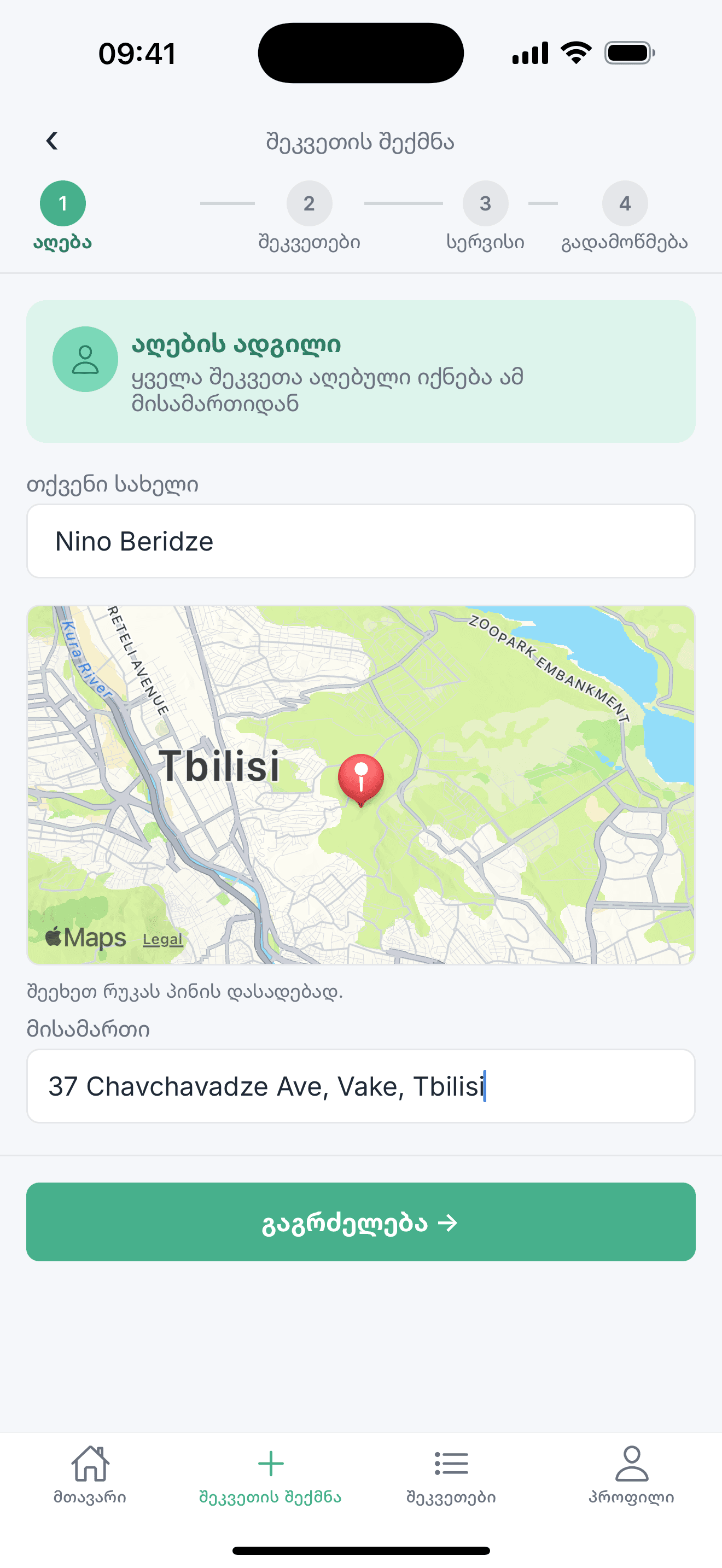
Build an order on the map
Pickup and drop-off — two pins, a few taps.

Delivery stages
Where the order stands and what happens next.
Your shipments
Active and completed orders on one screen.
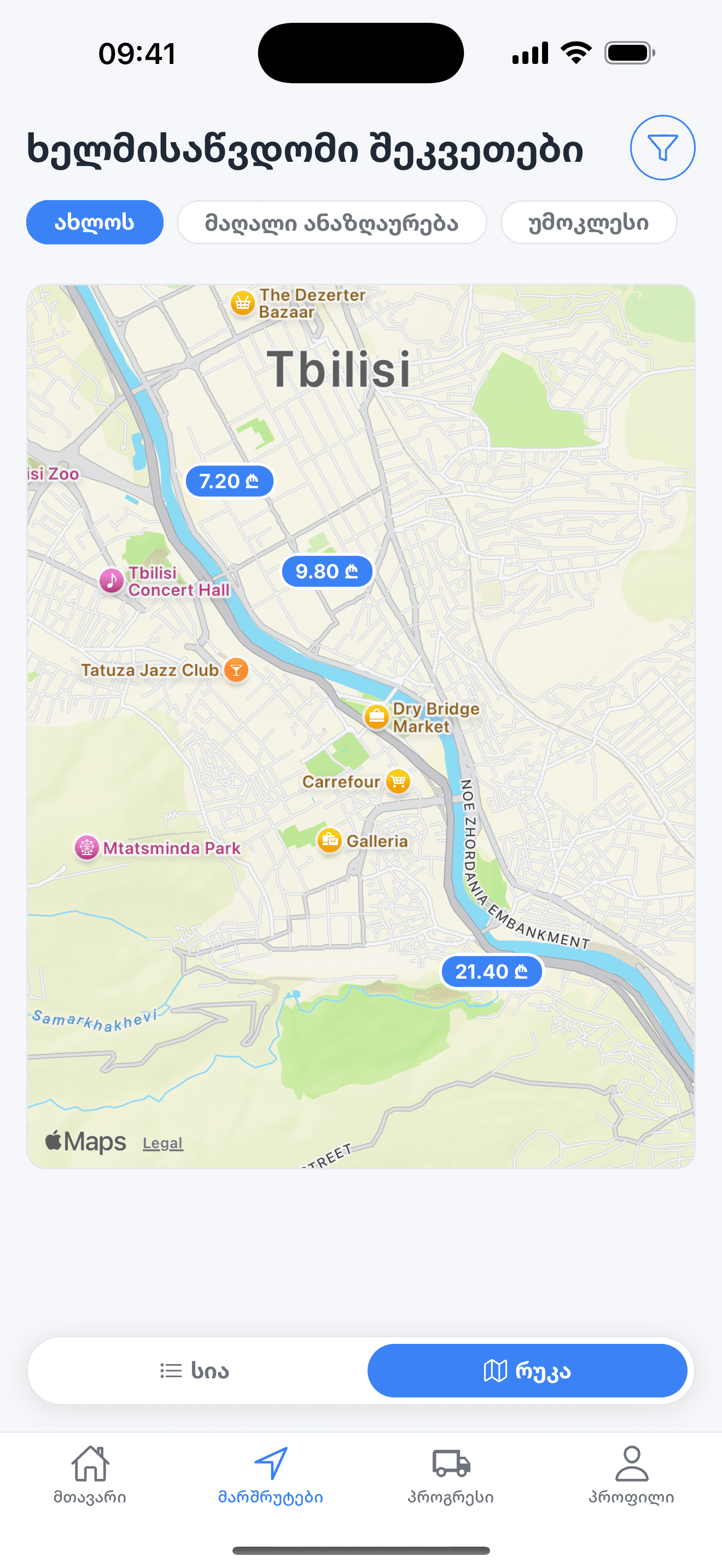
Jobs for couriers
Payout and distance, before you accept.
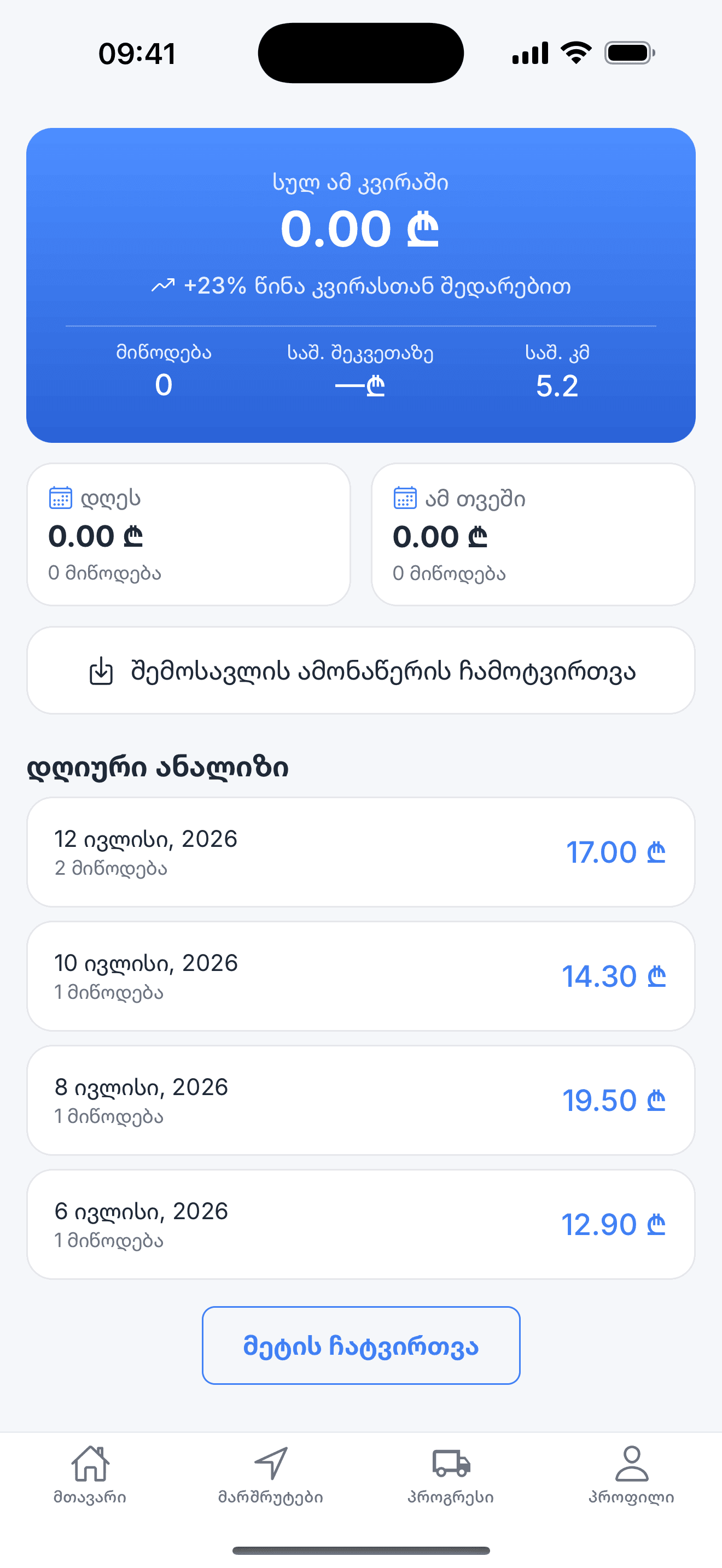
Earnings
Broken down by day, week and month.
Things you can actually rely on
We only claim what the app really does.
Three languages
Georgian interface, plus English and Russian.
Transparent pricing
You see the amount before you confirm the order. No hidden fees.
A photo at both ends
The courier photographs the parcel at collection and at handover.
Ratings both ways
Sender and courier rate each other once the delivery is done.
Frequently asked
How much does the app cost?
The app is free. You pay only for the delivery, and you see that amount before you confirm the order.
Which cities does it cover?
Launching in Georgia. Active zones are shown in the app — Tbilisi, Rustavi and Batumi.
How do I become a courier?
Register in the app, choose the courier role and turn your availability on. Available jobs appear as a list or on the map.
What if something goes wrong with a parcel?
The app records a photo at collection and at handover, along with every stage of the delivery. Contact support and we will work from those records.
Which devices are supported?
iPhone and Android.